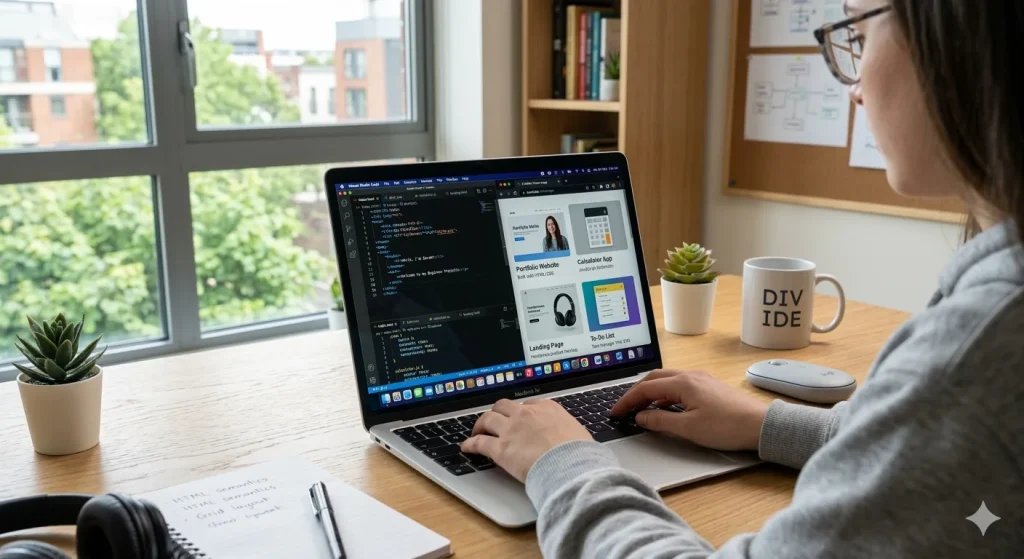
Building a strong portfolio is one of the most important steps for anyone learning web development. However, many beginners struggle to decide what projects they should create first. The good news is that you don’t need advanced skills to start building a portfolio. By working on the right beginner web development projects, you can learn HTML, CSS, and JavaScript while also creating real examples that demonstrate your skills.
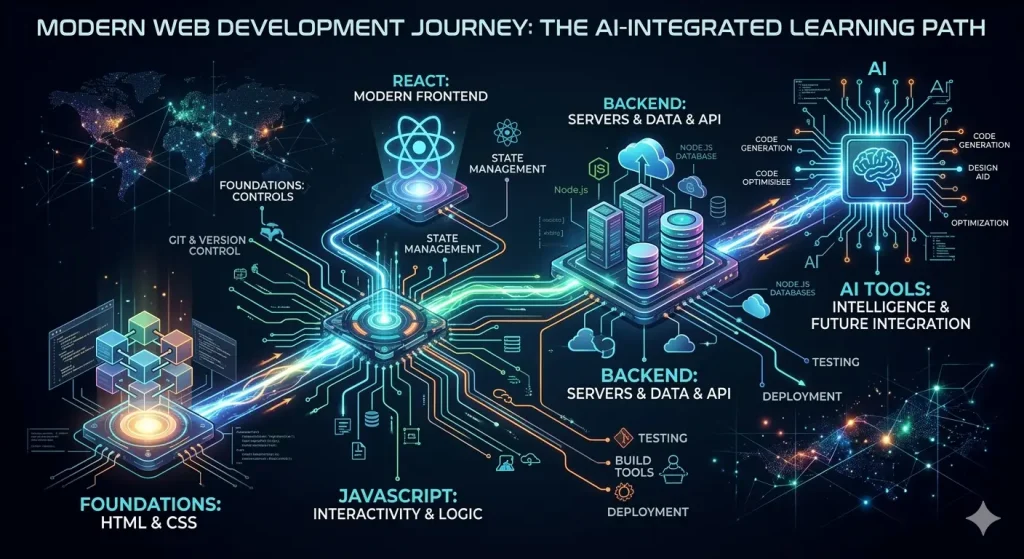
In this guide, you will discover ten practical beginner web development projects that you can build to strengthen your coding knowledge and create a professional portfolio. Each project focuses on essential concepts that every web developer should understand. If you are just starting your journey, you may also find it helpful to follow a complete learning path like this web development roadmap for beginners.
Why Beginner Web Development Projects Are Important
Many new developers spend too much time watching tutorials but very little time actually building beginner web development projects. While tutorials are helpful, real learning happens when you apply your knowledge in practical projects.
Working on beginner web development projects helps you understand how code works in real-world situations. In addition, projects allow you to experiment, solve problems, and improve your coding confidence.
There are several benefits of building projects early in your learning journey:
- You gain hands-on coding experience.
- You learn how to solve real problems.
- You create a portfolio to show employers.
- You strengthen your understanding of HTML, CSS, and JavaScript.
- You develop creativity and design thinking.
Now let’s explore ten beginner-friendly projects that can significantly improve your web development skills.
1. Personal Portfolio Website

A personal portfolio website is one of the most essential beginner web development projects for any developer. In fact, it is often the first project recruiters look at when evaluating your skills.
Your portfolio website should include several key sections:
- Introduction or hero section
- About me
- Projects showcase
- Skills section
- Contact form
By building this project, you will learn how to structure webpages using HTML, style layouts with CSS, and organize content professionally. As you improve your skills, you can continuously update your portfolio with new projects.
2. Landing Page

A landing page is a single webpage designed to capture user attention and encourage a specific action, such as signing up for a service or purchasing a product.
This project is excellent for beginners because it teaches several fundamental design and layout concepts:
- Page structure and sections
- Responsive layouts
- Flexbox or grid layout
- Typography and spacing
- Call-to-action buttons
Landing pages are widely used in marketing and business websites, so learning how to build one can be very useful.
3. To-Do List App

A to-do list application is one of the most popular beginner projects in web development. Although it may seem simple, it introduces important JavaScript concepts.
When creating this project, you will learn how to:
- Add new tasks using forms
- Remove completed tasks
- Update the user interface dynamically
- Store data using local storage
Because it involves real interaction, this project helps beginners understand how JavaScript works with the DOM.
4. Weather App

A weather application is an excellent project for learning how to work with APIs. In this project, your website will fetch weather information from an external service and display it to users.
Some important concepts you will learn include:
- Working with APIs
- Using JavaScript fetch requests
- Handling JSON data
- Updating UI with dynamic data
Many developers use the OpenWeather API documentation to build weather apps because it provides free weather data for developers.
5. Responsive Blog Layout
A responsive blog layout project focuses on building a website that adapts to different screen sizes such as smartphones, tablets, and desktops.
This project teaches responsive design techniques including:
- Media queries
- Responsive images
- Flexible layouts
- Mobile-first design
Since many users access websites from mobile devices, responsive design is a critical skill for modern web developers.
6. Calculator App
A calculator application is a fantastic project for beginners who want to practice JavaScript logic and event handling.
While creating a calculator, you will work with:
- Button click events
- Basic arithmetic operations
- Conditional logic
- User input handling
This project strengthens your programming logic while also improving your interface design skills.
7. Product Card Component
A product card component is commonly used in e-commerce websites to display items such as clothing, electronics, or books.
Although it is a small project, it teaches valuable design techniques such as:
- Card layout design
- Hover animations
- Image styling
- Button interactions
Component-based design is widely used in modern frameworks like React, so learning it early can be beneficial.
8. Image Gallery
An image gallery allows users to browse multiple images in an organized layout. This project is perfect for practicing layout and interactive design.
Key features you can implement include:
- Grid-based layouts
- Image hover effects
- Lightbox preview
- Responsive gallery design
This project helps developers understand visual presentation and user experience.
9. Quiz Application
A quiz application is a slightly more advanced beginner project that involves interactive questions and scoring systems.
While developing this project, you will learn how to:
- Store quiz questions in JavaScript
- Track user answers
- Calculate scores
- Display results dynamically
This type of project demonstrates your ability to build interactive applications using JavaScript.
10. Simple Notes App
A notes application allows users to write, save, and manage notes directly in the browser.
This project is particularly useful because it teaches:
- Local storage usage
- Dynamic content creation
- User data management
- Interactive UI design
Even though the concept is simple, it introduces developers to real-world application features.
Tips to Turn These Projects Into a Strong Portfolio
Simply building projects is not enough. To create a strong developer portfolio, you should present your projects professionally.
Here are some helpful tips:
- Write a short description for each project.
- Host your projects online using platforms like GitHub Pages.
- Include screenshots or live demos.
- Explain what technologies you used.
- Show your problem-solving process.
If you are a student learning web development alongside your studies, tools powered by artificial intelligence can also help you learn faster. You may find this guide useful: how students use AI for studying. Additionally, exploring AI tools for students can improve productivity while learning programming.
Conclusion
Building real projects is the fastest way to become a skilled developer. By completing these beginner web development projects, you will gain practical experience with HTML, CSS, and JavaScript while also creating a portfolio that demonstrates your abilities.
Start with simple projects such as a portfolio website or landing page, and gradually move toward more interactive applications like a weather app or quiz system. Over time, these projects will help you develop confidence, creativity, and problem-solving skills that are essential in the web development industry.
Most importantly, keep building, keep experimenting, and continue improving your portfolio with new ideas.